Looking for a large 4K screen that can be positioned freely on your desk? The LG 32UN880K-B combines a 31.5-inch 4K display with LG’s Ergo arm stand. This guide covers its key features, desk-fit checks, and what to consider before buying.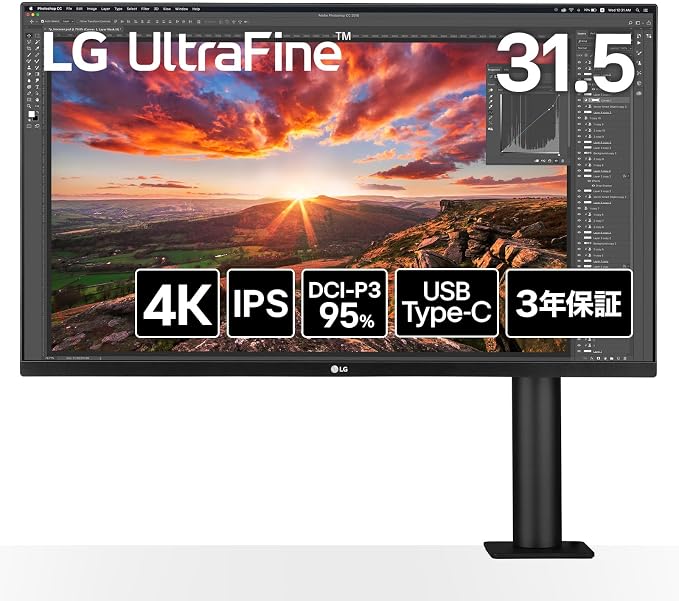
LG 32UN880K-B at a glance
The 32UN880K-B is a 31.5-inch monitor with a 3840 × 2160 (4K UHD) resolution and an IPS panel. Its standout feature is the ergonomic arm, which attaches to the desk and lets you adjust the screen’s position. The monitor also has USB-C connectivity for compatible computers.
A flexible arm helps free up desk space
Instead of a conventional wide base, the Ergo stand clamps to the edge of a desk or mounts through a grommet hole. You can move the screen forward or back, raise or lower it, tilt and swivel it, and rotate it between landscape and portrait orientation. This flexibility can make it easier to find a comfortable viewing position and leave more open space beneath the display.
Check your desk before ordering: LG specifies support for desk thicknesses under 90 mm with the clamp and under 60 mm with the grommet mount. The grommet hole should be 20–40 mm in diameter. Make sure the desk edge and the space around it can accommodate the arm.
A 31.5-inch 4K screen for work and study
The 3840 × 2160 resolution gives you room for detailed documents, spreadsheets, code, and multiple windows. The 16:9 screen is a standard widescreen format, rather than an ultrawide display. Its IPS panel and anti-glare surface are designed for a clear picture across a wide viewing angle.
HDR support is included, but HDR performance depends on the content and the monitor’s brightness and contrast capabilities. If vivid HDR is a top priority, check independent measurements and compare it with monitors designed specifically for HDR use.
USB-C connection and up to 60 W charging
With a compatible laptop and USB-C cable, one connection can carry video, audio, and data while supplying up to 60 W of power to the laptop. The monitor also provides USB ports that can be useful for peripherals, helping reduce cable clutter on the desk.
Not every USB-C cable carries video. Your computer’s USB-C port must support DisplayPort Alt Mode, and the cable must support video as well. Also check your laptop’s power requirements: 60 W may be insufficient for some models or for heavy workloads, so you may still need the laptop’s own charger.
Things to check before buying
- Measure the desk thickness and check whether the clamp or grommet mount will fit.
- Confirm that the desk has enough clearance for the arm to move.
- Check that your computer’s USB-C port supports video output if you plan to use a single cable.
- Compare the monitor’s 60 W power delivery with your laptop’s charging needs.
- Decide whether a 16:9 4K screen suits your work better than an ultrawide display.
Who may want to consider the LG 32UN880K-B?
This monitor may suit people who want a large 4K workspace and an adjustable arm without placing a broad stand on the desk. It is also worth considering if your laptop can use USB-C video and can be charged adequately at up to 60 W.
You may prefer another model if you specifically want an ultrawide aspect ratio, need more than 60 W of laptop charging, or would rather use a traditional stand. Check the current specifications, desk compatibility, and local availability before you order.
Check the LG 32UN880K-B on Amazon
As an Amazon Associate, Everyday Desk Notes earns from qualifying purchases. This post contains affiliate links. If you buy through a link, we may earn a commission at no extra cost to you.
